
Choose around one complete YouTube feature
Consider a product that finds videos about a topic and summarizes the selected result. It needs discovery, video context and spoken text. Our YouTube API catalog supplies separate operations for those collection steps, so the application can focus on selection, summarization and source-linked results.
The official YouTube Data API is also a valid route for supported reads such as video metadata and search; it is not limited to managing uploads. The useful comparison is whether the complete set of methods, permissions and returned fields fits your product, and how much collection code you want to maintain.
Compare the work each approach leaves with your team
With our API, you call documented operations and process JSON results. With the official API, you work with Google’s resource contracts, quota rules and any required authorization. With a custom collector, your team also owns fetching, parsing and repairs when the source changes.
| Approach | Best fit | Your integration work |
|---|---|---|
| socialmediascraper.org | Public-video research, comments and transcript workflows | Call documented endpoints; store the JSON results |
| YouTube Data API | Supported reads and authorized account features | Google credentials, method quotas and any required scopes |
| Your own scraper | A required field or source not covered by existing APIs | Run the collector, maintain parsers and handle source changes |
For a public-video research app, our combination of search, comments, details and transcripts is a practical starting point. Test the operations behind one screen before adding a custom collector. If you already have a working official read integration, you can keep it and use our endpoints for the additional collection your product needs.
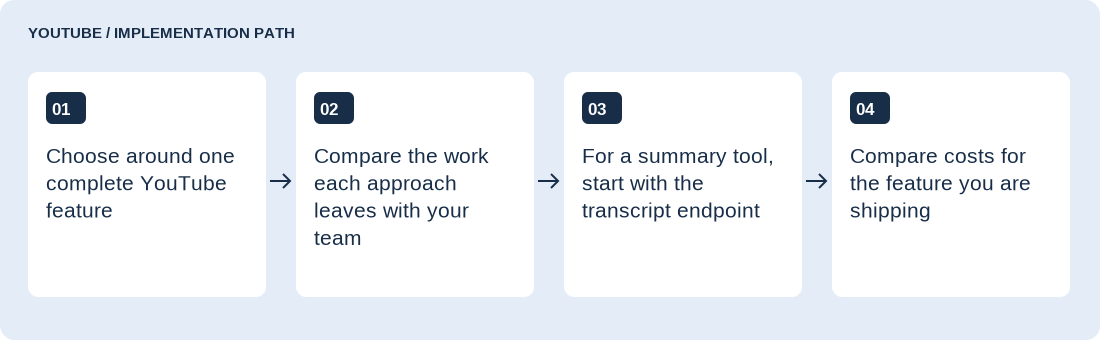
For a summary tool, start with the transcript endpoint
Suppose a user pastes another creator’s video into your summary app. The title and description identify the video, but they do not supply everything said in it. Google’s captions.download method requires an authorized user with permission to edit the video. A public URL alone does not provide that permission.
Our youtube.transcript endpoint accepts a video URL for its supported public-video workflow. Read data.text and keep data.source_url with the result, then pass that text to your own summarizer or indexer. Test the sources and languages your product intends to support before scaling the collection.
Set SOCIALSCRAPER_API_KEY on your backend and replace the example input with your source.
// YouTube Transcript API · youtube API
const response = await fetch("https://socialmediascraper.org/v1/youtube/transcript?url=https%3A%2F%2Fwww.youtube.com%2Fwatch%3Fv%3DbjVIDXPP7Uk", {
  method: 'GET',
  headers: {
    'x-api-key': process.env.SOCIALSCRAPER_API_KEY,
    'x-price-version': '2026-11-23.retail-1',
    'Idempotency-Key': crypto.randomUUID()
  }
});

if (!response.ok) throw new Error(`HTTP ${response.status}: ${await response.text()}`);
const data = await response.json();
console.log(data);Example: add summaries to a video search page
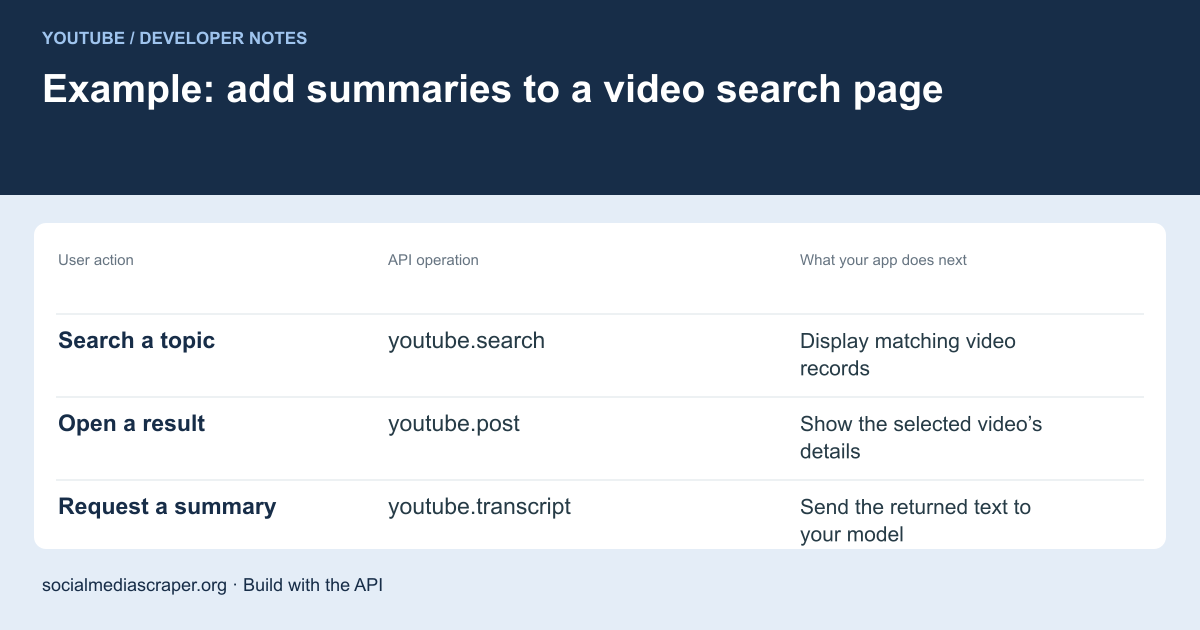
Imagine a user searches once, opens three results and asks for a summary of one video. Your app can use our API to run the search, enrich selected results and retrieve text only for the video the user chose. You do not need to fetch transcripts for every search result in advance.
Keep the collected transcript so a second question about that video can reuse it. The collection request and the model call are separate steps: our API supplies the source text, while your application decides how to summarize it and display the citation.
| User action | API operation | What your app does next |
|---|---|---|
| Search a topic | youtube.search | Display matching video records |
| Open a result | youtube.post | Show the selected video’s details |
| Request a summary | youtube.transcript | Send the returned text to your model |
Compare costs for the feature you are shipping
Count searches, detail lookups, comment pages and transcript requests separately. Our API publishes prices by operation, so a first version can have a clear collection budget. Model generation, your database and storage are additional costs that belong in your application budget.
For a custom scraper, include the work of running the process and fixing collection failures. For the official API, check each method’s current quota and permission rules. Compare the cost of getting the same usable result, rather than treating a request, quota unit and hour of maintenance as interchangeable.
Start with the missing piece in your application
If a summary feature lacks spoken text, try our Transcript API with one selected video. If the research interface needs discovery and discussion, begin with search and comments. This gives you a working slice of the product rather than a separate collection project with no user-facing result yet.
You can combine our public-data endpoints with official methods where those already serve the product. Save the source video ID and URL when joining their outputs. Create an API key to test our collection route, and use the reference and Python tutorial for the exact inputs.
FAQ
Common questions
A few details to check before you build.
When should I choose socialmediascraper.org instead of the official YouTube API?
Choose our API when the combination of public-video search, comments, details and transcripts fits your research feature. The official API also supports read methods such as metadata and search; compare the complete workflow and its permission requirements rather than assuming either option fits every task.
Can I use socialmediascraper.org and the official API together?
Yes. For example, keep an official integration for authorized account features and use socialmediascraper.org to collect supported public-video data. Save video IDs and source URLs so the two parts of your app refer to the same content.
Does fetching a video’s details also return its transcript?
Use the dedicated youtube.transcript operation when you need spoken text. The video-details and transcript operations serve different tasks, so request the one your feature actually needs.
Do I have to build a scraper to use socialmediascraper.org?
No. Your backend calls socialmediascraper.org’s documented endpoints and processes the returned JSON. You build the application features and storage around that output.
API references, tutorials and sources

socialmediascraper.org team
API guides and practical examples by the socialmediascraper.org team.