
Start with the feature you want to ship
Suppose your first screen lets a user search for videos and inspect audience questions. You need two collections: search results to choose a source, then comments for the selected video. An API is useful here when it returns the IDs, links, text and pagination your screen needs—not simply because its homepage lists a platform logo.
At socialmediascraper.org, those collections are separate documented operations under one API-key integration. You can add profile details or transcripts as new screens need them. The practical benefit is a collection client you can extend while keeping the application’s selection, storage and analysis rules under your control.
Know which jobs our API is designed to handle
Our catalog covers supported public-data collection. For example, a creator tool can combine profile and post records, while a video Q&A feature can collect transcript text. Publishing a post or managing an account is a different job with its own platform permissions; do not treat read access as account authorization.
| Your product needs | Good starting point | Reason |
|---|---|---|
| Public profiles, posts, comments and research data | socialmediascraper.org | Documented data operations through one integration |
| User-authorized publishing or account actions | Official platform APIs | The platform controls permissions for those actions |
| Supported video text for summaries and search | socialmediascraper.org transcript operations | Text can feed your own AI workflow |
| A custom collector for a source outside the catalog | A scraper platform or your own collector | You need to operate source-specific collection |
We build socialmediascraper.org, so this guide focuses on the workflows our API supports. Judge the fit through a concrete operation: check its input, inspect the example result and run a small source from your own feature. That is more informative than an untested ranking of provider brands.
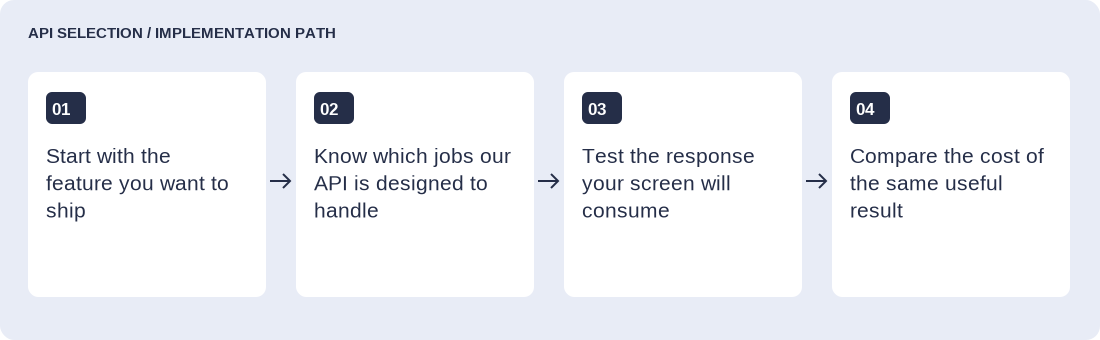
Test the response your screen will consume
For a video-research screen, run youtube.search with a topic and inspect the returned items. Can you render a title or text, link the source and keep an ID for later lookups? Once the result list works, request details or comments for the user’s selection instead of fetching every related collection upfront.
Set SOCIALSCRAPER_API_KEY on your backend and replace the example input with your source.
// YouTube Video Search API · youtube API
const response = await fetch("https://socialmediascraper.org/v1/youtube/search?query=technology", {
  method: 'GET',
  headers: {
    'x-api-key': process.env.SOCIALSCRAPER_API_KEY,
    'x-price-version': '2026-11-23.retail-1',
    'Idempotency-Key': crypto.randomUUID()
  }
});

if (!response.ok) throw new Error(`HTTP ${response.status}: ${await response.text()}`);
const data = await response.json();
console.log(data);
A response with an HTTP success status is only the start. Check the fields required by your UI and whether the next-page input matches the returned continuation. Our references document these choices by operation, and the Python tutorials provide complete clients when you move from a first request into backend code.
Compare the cost of the same useful result
With our API, estimate requests by operation: profile lookups, content pages, comment pages and transcript requests. The published operation prices make that arithmetic explicit. A returned page can contain several records, so a record count and a request count should not be treated as the same billing unit.
When comparing another service, check whether it bills requests, records, credits or platform usage. Apify documents different billing models for different Actors, for example. A low headline rate is only useful after you know what work it buys. Include your application’s storage and model costs separately.
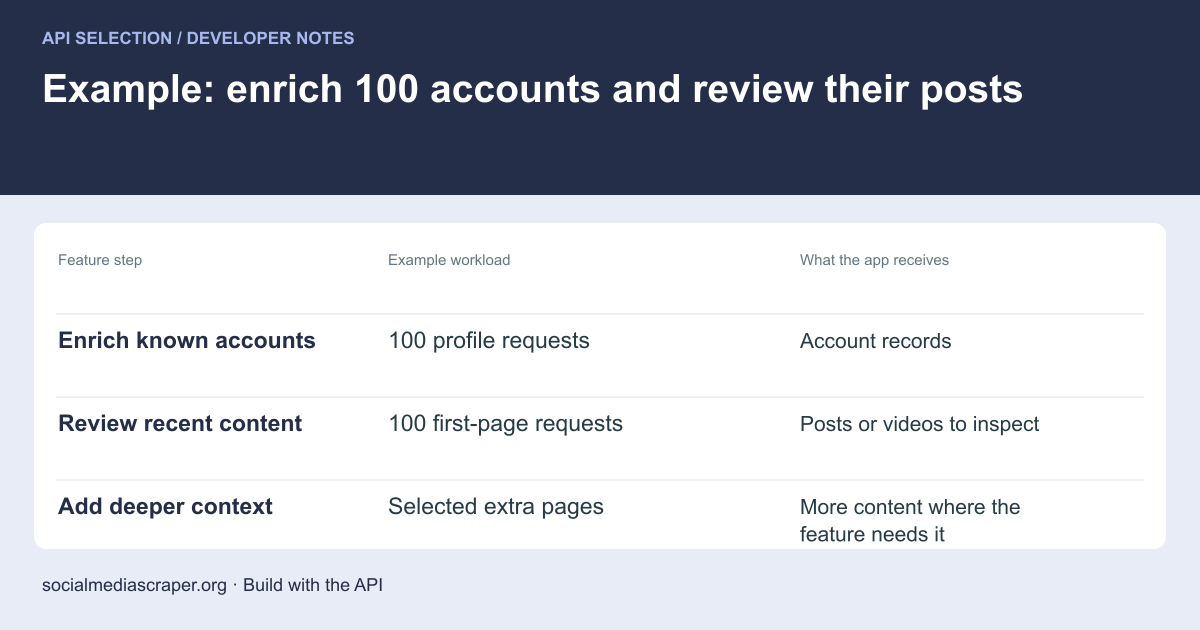
Example: enrich 100 accounts and review their posts
Start with 100 known account handles. One profile lookup and one content-page request for each account means 200 new operations before deeper pagination or comments. Use the price for each chosen platform operation rather than assuming every collection costs the same amount.
The first deliverable can be a profile card with a few source-linked posts. Once customers find that useful, add more pages or selected comments. Our API lets you expand that collection through related operations instead of rebuilding the integration around another single-purpose tool.
| Feature step | Example workload | What the app receives |
|---|---|---|
| Enrich known accounts | 100 profile requests | Account records |
| Review recent content | 100 first-page requests | Posts or videos to inspect |
| Add deeper context | Selected extra pages | More content where the feature needs it |
Make the decision with a small working feature
Use one real input from the product you intend to build, render the result and open its source link. Then try a second page and an input your application should reject. You will learn whether the integration fits before committing a larger collection budget.
- Choose the operation matching the data your screen needs.
- Inspect the inputs, response example and current operation price.
- Run one request and render the returned data with its source.
- Use the Python tutorial to add the client to your backend.
- Add pagination or related operations as the feature grows.
FAQ
Common questions
A few details to check before you build.
What is socialmediascraper.org useful for?
It supplies supported public social data for creator tools, content research, social listening and AI workflows. The catalog includes profiles, posts, comments, search and transcript operations.
Do I need a separate key for each platform?
socialmediascraper.org data operations use the same API-key authentication. Check each operation’s inputs, fields and price; those remain specific to the data you are requesting.
Can I use it to publish posts or send messages?
This guide covers reading public data. Use the platform’s authorized account APIs for publishing, messaging or other account actions.
What should I try first?
Choose one operation that powers a real screen in your product. Run its request example, inspect the result and follow the linked tutorial before expanding the collection.
API references, tutorials and sources

socialmediascraper.org team
API guides and practical examples by the socialmediascraper.org team.